Instructions for Exporting Bookbag
1. Go to the KU Libraries site: lib.ku.edu.
2. Choose Library Catalog.
View Screenshot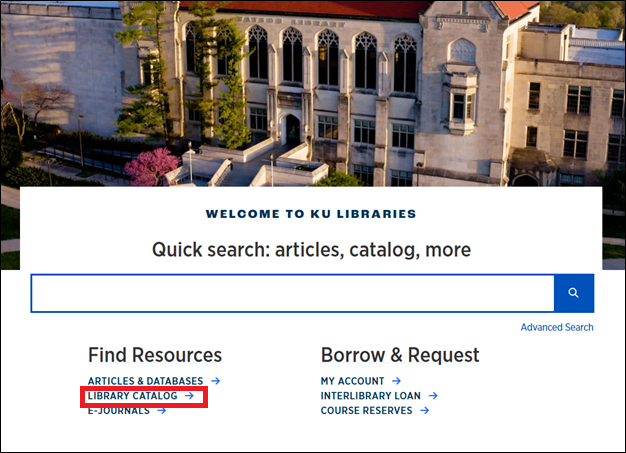

3. Select the View Bookbag button.
View Screenshot
4. Log in with KU credentials.
View Screenshot

5. Choose the preferred format: Full Record, Brief Record, etc.
View Screenshot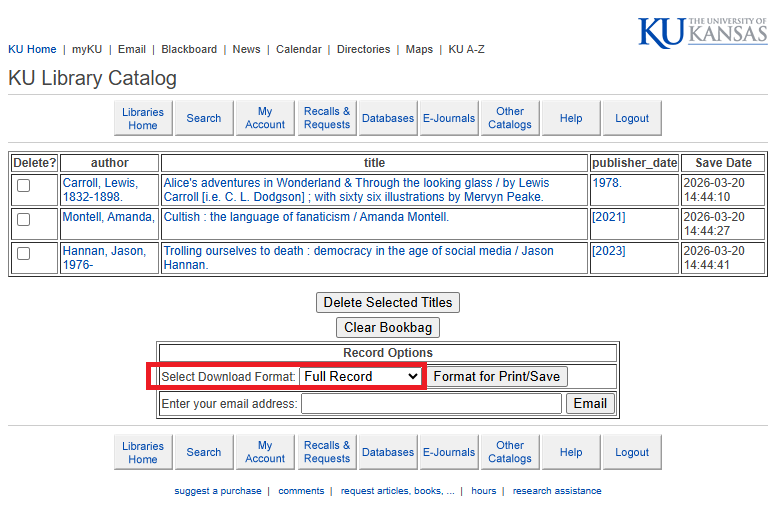

6. Enter a valid email address and select Email.
View Screenshot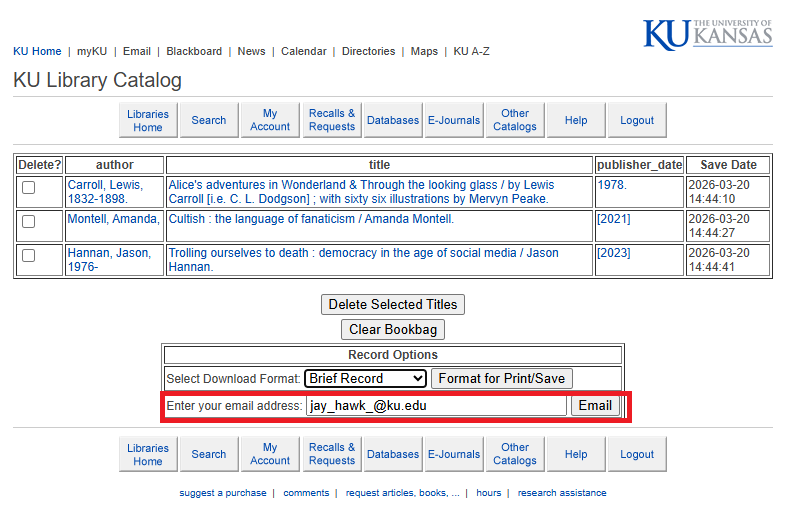

Note: Records can also be formatted for Print/Save then the text copied and pasted to a Notepad file, but that option may generate an error message, forcing the user to start from the beginning.
Note: If you cannot successfully export your data using the methods above, please take screenshots and/or copy and paste the visible text from your Bookbag/Favorites.
Note: Classic Catalog is very fragile. If you find you cannot save or export your Bookbag, please log out for 5-10 minutes and then try again.
Note: The system is unable to export more than 900 items at a time. If you have more than 900 items in your bookbag, please select up to 900 items and save/export your bookbag in batches.